
Platform
Version Statuses, Improved Subscriptions and DevOps Tab
Track deployment status with Version Statuses, enjoy improved subscriptions, and manage DevOps in one unified tab
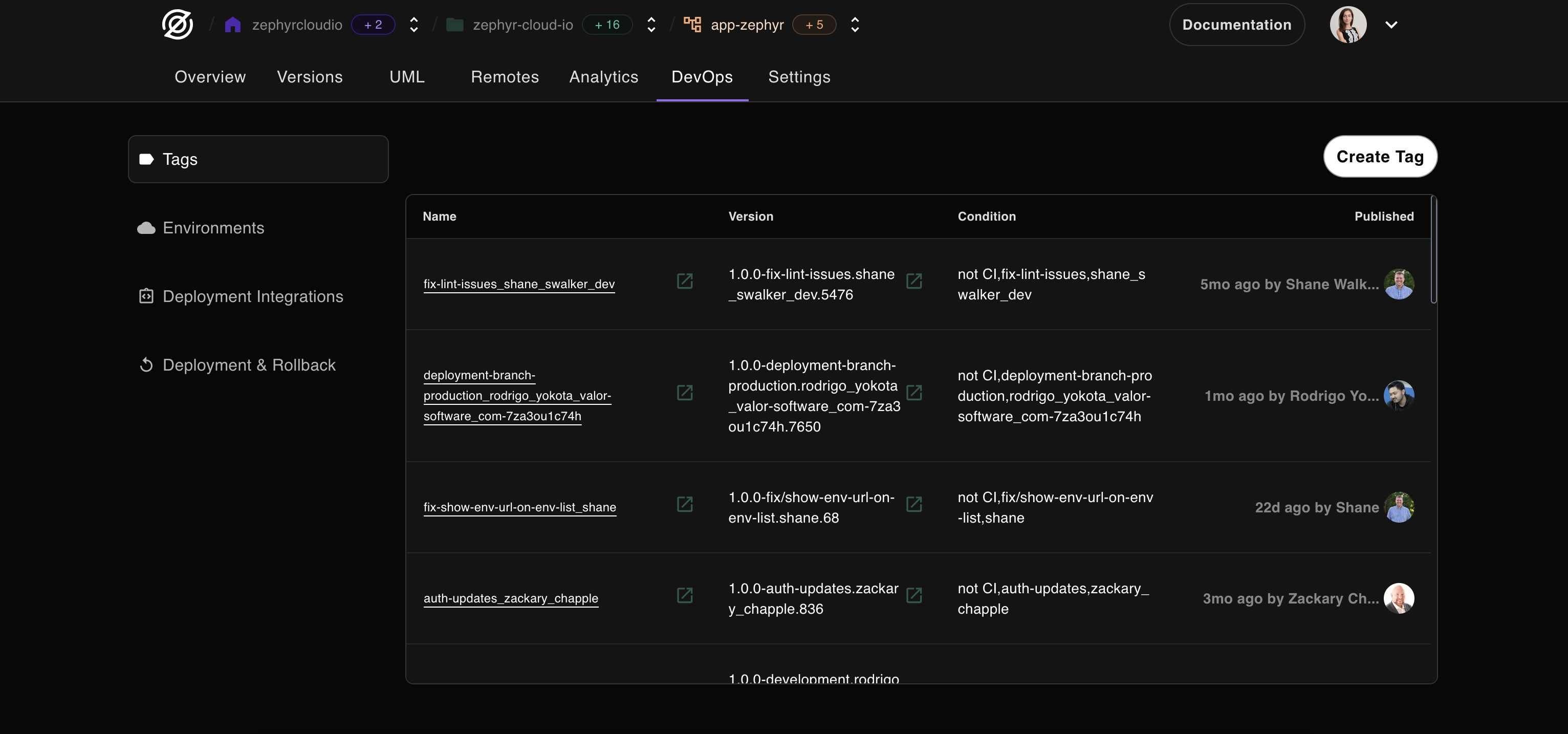
New in Zephyr: Version Statuses, Improved Subscriptions and DevOps!
This month's update brings powerful new features to help you manage deployments more effectively and streamline your DevOps workflow.
Version Statuses
We've just made it easier to track your application's deployment status with the new Version Statuses feature in Zephyr!
What's New:
- Clear status indicators: See at a glance whether a version is:
- 🔨 Building
- ✅ Running
- ❌ Failed
- ✓ Completed
- Team synchronization: Everyone on your team sees the same status in real-time
- No more confusion: Eliminate guesswork about deployment stages
- Historical tracking: Review past deployment statuses for debugging
Benefits:
- Reduce deployment-related communication overhead
- Catch and respond to failures faster
- Better visibility into your CI/CD pipeline
- Improved team coordination during releases
Check out how it works here 👉 docs.zephyr-cloud.io/how-to/version-statuses
Improved Subscription Experience
We've refined how subscriptions work to make them more stable and user-friendly.
Improvements:
- Enhanced reliability: Subscriptions now handle edge cases better
- Clearer billing: Understand exactly what you're paying for
- No interference: Subscriptions won't affect your application's functionality
- Flexible management: Easier to upgrade, downgrade, or modify plans
These changes ensure subscriptions remain a reliable part of your application infrastructure without any unexpected surprises.
Brand New DevOps Tab
Meet the brand new DevOps tab! This new section brings together all your deployment and operations tools into one unified space.
What's Included:
- Tags: Organize and categorize your deployments
- Environments: Manage dev, staging, and production environments
- Deployment Integrations: Connect with CI/CD tools and services
- Rollback Tools: Quickly revert to previous versions when needed
Why You'll Love It:
- Centralized management: No more hunting through different sections
- Clear organization: Everything DevOps-related in one place
- Faster workflows: Common tasks are now just a click away
- Better visibility: See all your DevOps configurations at once
The new DevOps tab makes it easier than ever to manage your entire deployment workflow in a clear, organized way.
What's Next?
We're continuing to enhance the DevOps experience with:
- Advanced rollback strategies
- Environment comparison tools
- Automated deployment policies
- Integration with more CI/CD platforms
Your feedback drives our development. Let us know what DevOps features you'd like to see next!