
Platform
Introducing the Updated Navigation
Improved navigation with clear Organization, Project, and Application breakdown for faster access
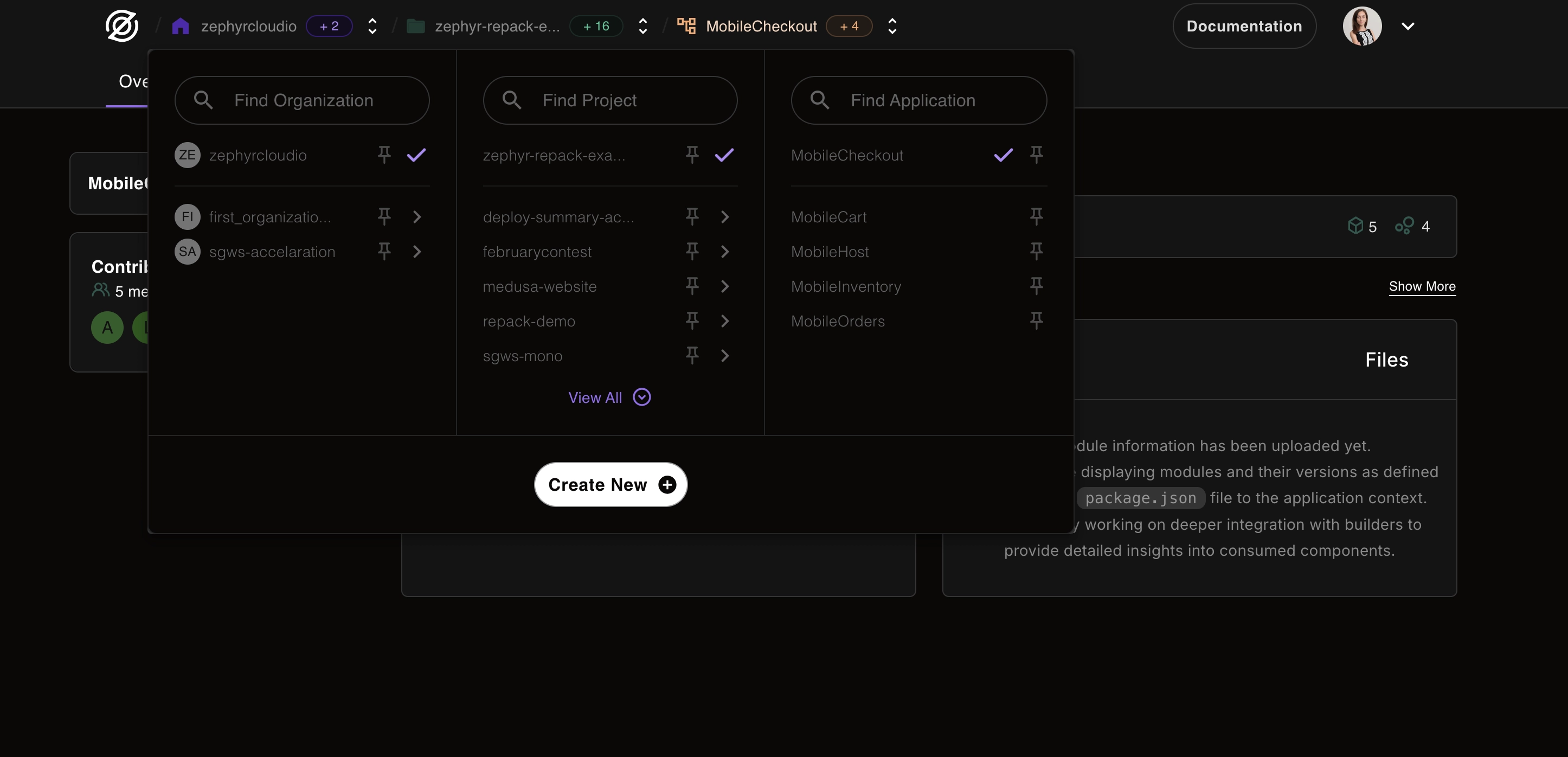
Based on valuable feedback from our users, we've completely revamped the navigation experience in Zephyr Cloud. The new system makes it faster and easier to find exactly what you need.
What's Changed
Clear Hierarchical Structure
The new navigation follows a logical hierarchy that mirrors how you think about your work:
- Organization Level: See all your organizations at the top level
- Project Level: Drill down into specific projects within an organization
- Application Level: Access individual applications within projects
This structure makes it intuitive to navigate even complex setups with multiple organizations and hundreds of applications.
Easy-to-Use Switchers
We've introduced smart switchers that let you jump between different levels with just one click:
- Organization Switcher: Quickly change between different organizations
- Project Switcher: Jump to any project within the current organization
- Application Switcher: Access any application in the current project
No more navigating back to the dashboard just to switch contexts!
Key Benefits
Faster Navigation
- One-click access: Get to any resource with a single click
- Keyboard shortcuts: Power users can navigate even faster (coming soon)
- Recent items: Quick access to your most-used resources
Simpler Experience
- Consistent patterns: The same navigation logic everywhere
- Visual clarity: Clear indicators show where you are
- Breadcrumbs: Always know your current location
More Intuitive
- Logical grouping: Related items are organized together
- Smart search: Find anything quickly with improved search
- Contextual actions: Relevant actions appear where you need them
User Feedback in Action
This update is a direct result of user feedback. You told us:
- "I need to switch between projects more quickly"
- "It's hard to know which organization I'm in"
- "Finding specific applications takes too many clicks"
We listened, and the new navigation addresses all these pain points.
Tips for Getting Started
- Use the switchers: Don't navigate back – use the dropdown switchers
- Learn the hierarchy: Organization → Project → Application
- Try the search: It's faster than clicking through menus
- Give us feedback: We're continuing to improve based on your input
What's Next?
We're not done yet! Coming improvements include:
- Customizable navigation shortcuts
- Enhanced search with filters
- Navigation history
- Favorite items for quick access
Thank you for your feedback that made this improvement possible. Keep it coming – we're listening!