
Feature
Timestamps & Filters on Versions
Track version creation times and filter by time or status for easier version management
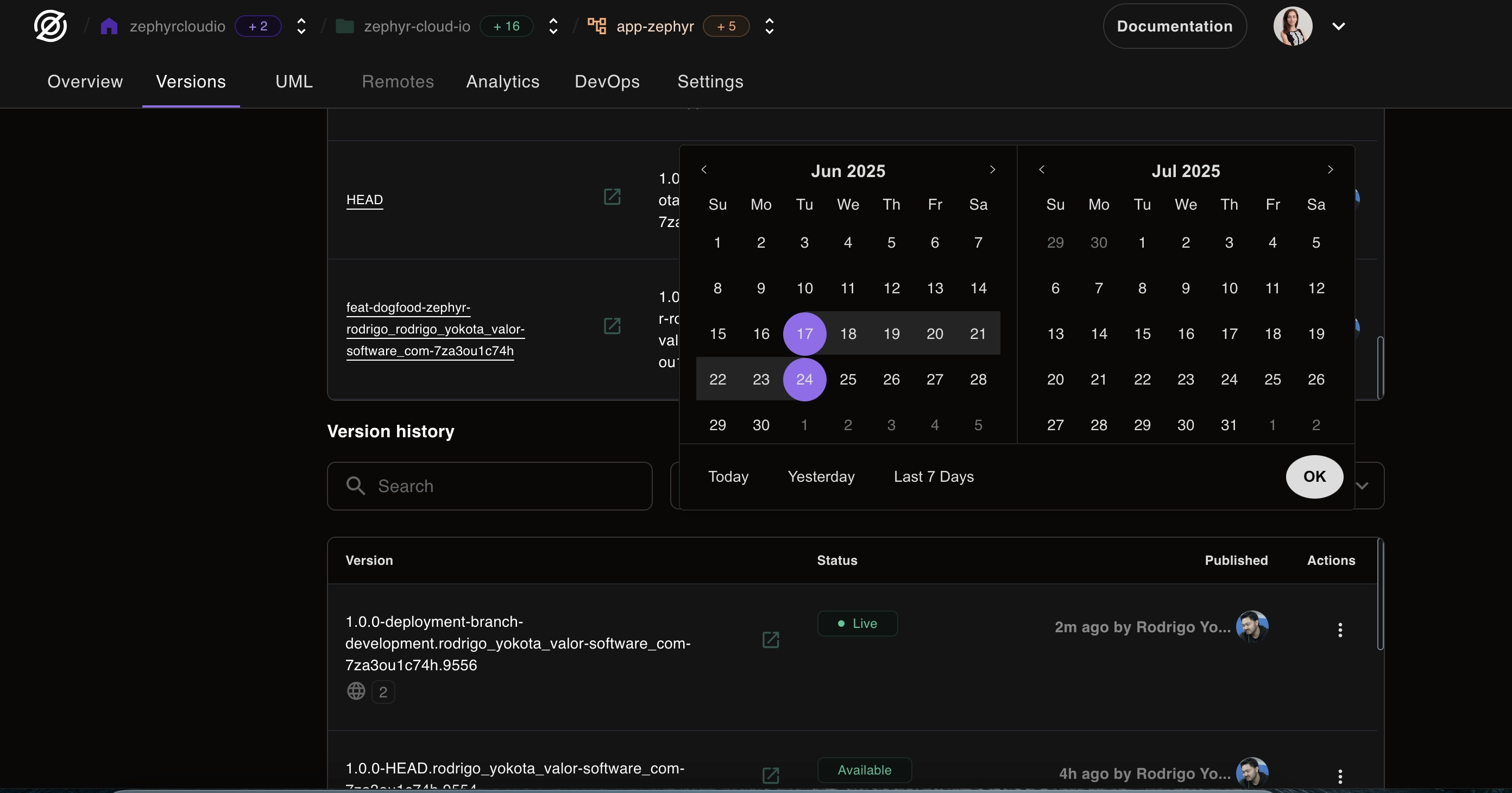
Managing versions just got a whole lot easier! We've added timestamps and powerful filtering capabilities to help you track, review, and manage your application versions more effectively.
Version Timestamps
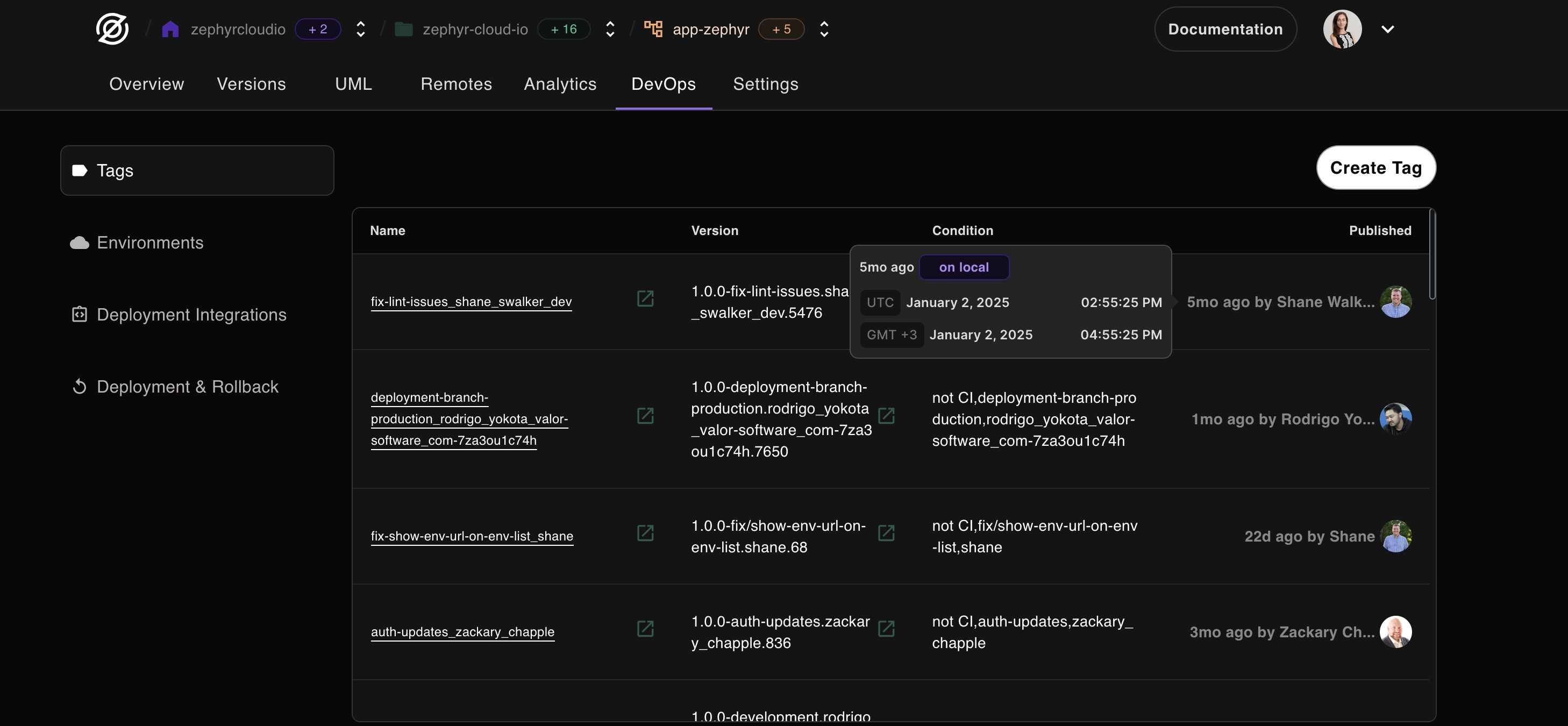
Every version now displays when it was created, giving you instant visibility into your deployment timeline.
What's New:
- Creation timestamps: See exactly when each version was built
- Relative time display: Quick glance shows "2 hours ago" or "3 days ago"
- Absolute time on hover: Get precise date and time information
- Timezone support: Times displayed in your local timezone
Benefits:
- Deployment tracking: Understand your deployment frequency
- Debugging aid: Correlate issues with specific deployment times
- Audit trail: Complete history of when changes were made
- Team coordination: Everyone knows when the latest version was deployed
Advanced Filtering
Find the exact version you need with our new filtering system.
Filter Options:
By Time
- Today: See all versions from the last 24 hours
- This Week: Versions from the current week
- This Month: All versions from the current month
- Custom Range: Select specific date ranges
- Relative Filters: "Last 7 days", "Last 30 days", etc.
By Status
- Active: Currently running versions
- Building: Versions being built right now
- Failed: Versions that encountered errors
- Archived: Older versions kept for reference
- All: See everything at once
Combination Filters
Combine multiple filters for precise results:
- "Failed builds from last week"
- "Active versions deployed today"
- "All versions from December 2024"
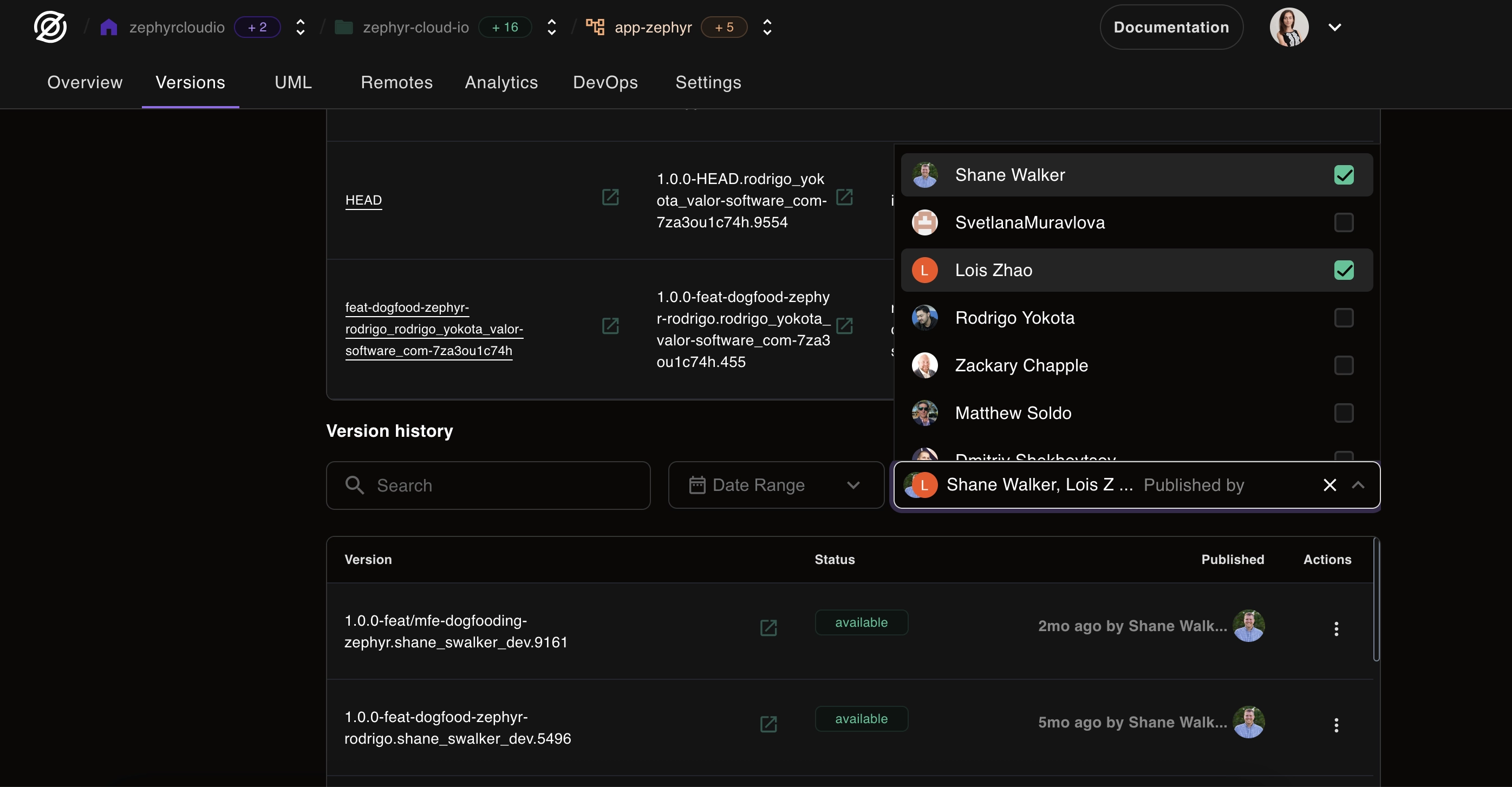
Enhanced Version Management
These new features make common tasks much easier:
Faster Rollbacks
- Quickly find the last working version using status filters
- See deployment times to identify when issues started
- One-click rollback to any previous version
Better Reviews
- Review all deployments from a specific period
- Track deployment frequency and patterns
- Identify peak deployment times
Improved Debugging
- Correlate issues with deployment times
- Find versions deployed around incident times
- Track down when problematic code was introduced
How to Use
- Access Version List: Navigate to your application's versions page
- Apply Filters: Use the filter dropdown to select criteria
- Combine Filters: Add multiple filters for precise results
- Sort Results: Click column headers to sort by time, status, etc.
- Take Action: Deploy, rollback, or archive directly from the list
Pro Tips
- Save Filter Presets: Coming soon - save your favorite filter combinations
- Keyboard Shortcuts: Use
/to focus on filters,Escto clear - Export Results: Download filtered version lists for reporting
- Quick Actions: Hover over versions for quick action buttons
What's Next?
We're continuing to enhance version management with:
- Saved filter presets
- Version comparison tools
- Automated version cleanup policies
- Enhanced search within versions
- Version tagging and notes
Your feedback has been instrumental in shaping these features. Keep letting us know how we can make version management even better!